Built for classrooms, museums and modern brands
Interactive 3D
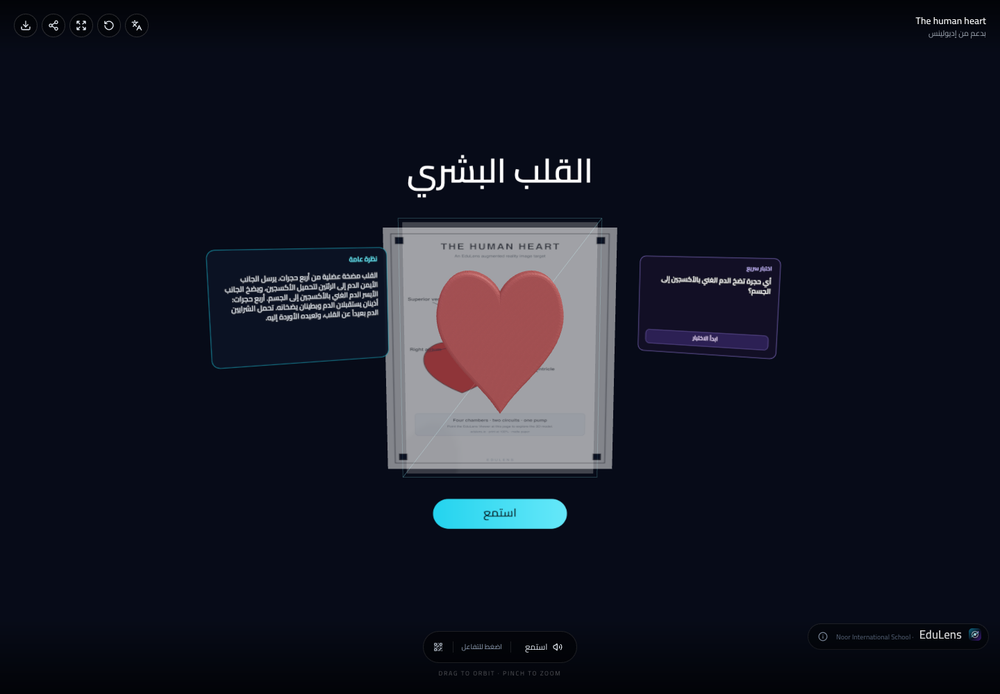
Your scene, before it is published.
A real GLB model rendered in the browser. Rotate it, inspect the details, then launch the same experience in camera AR.
- On-device image tracking
- No app install
- Arabic & English with RTL
Scan to open AR
On your phone · no app
The platform
Everything from image to scan
One platform for image understanding, scene authoring, AR hosting and engagement measurement.
AI image understanding
Upload an image and get object detection, educational descriptions and matching 3D assets.
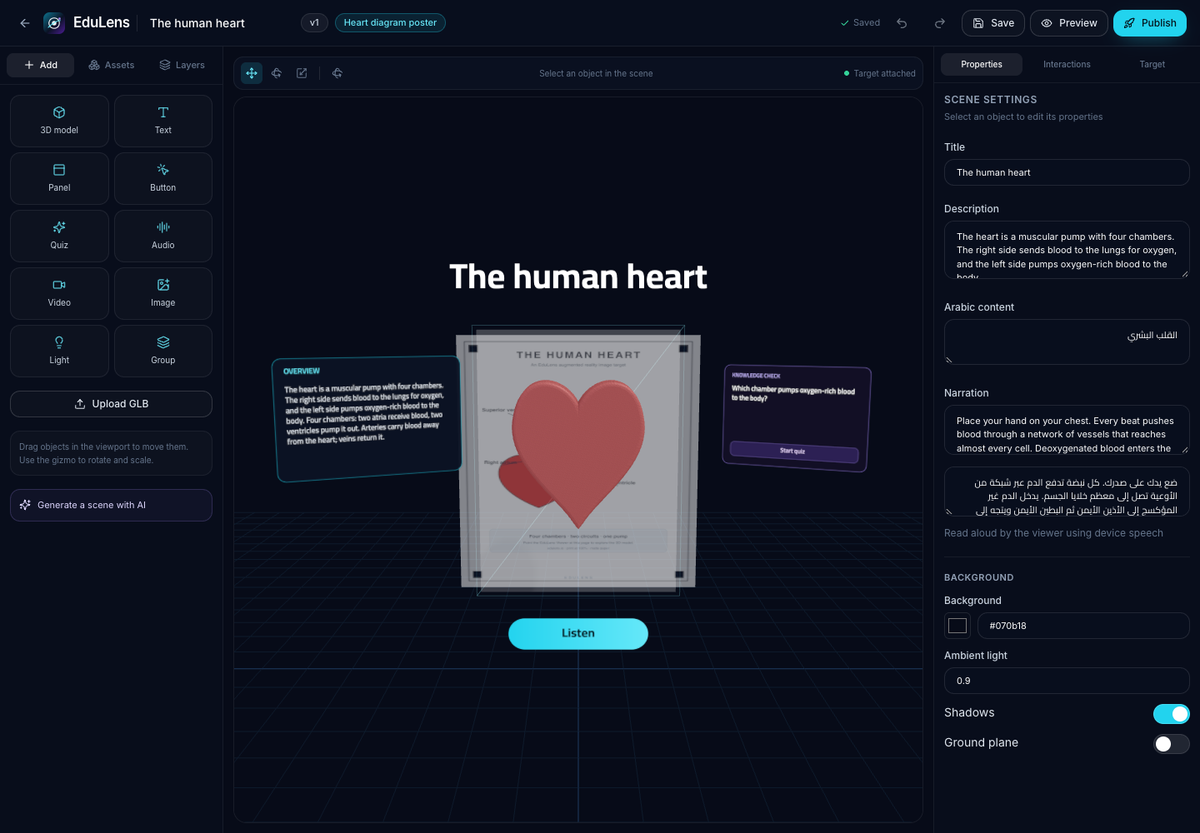
Visual AR editor
Drag 3D models, text, audio, video, quizzes and interactions onto your scene — then preview live.
Publish & scan
Generate a QR code, share a link, and let anyone scan your printed target to explore.
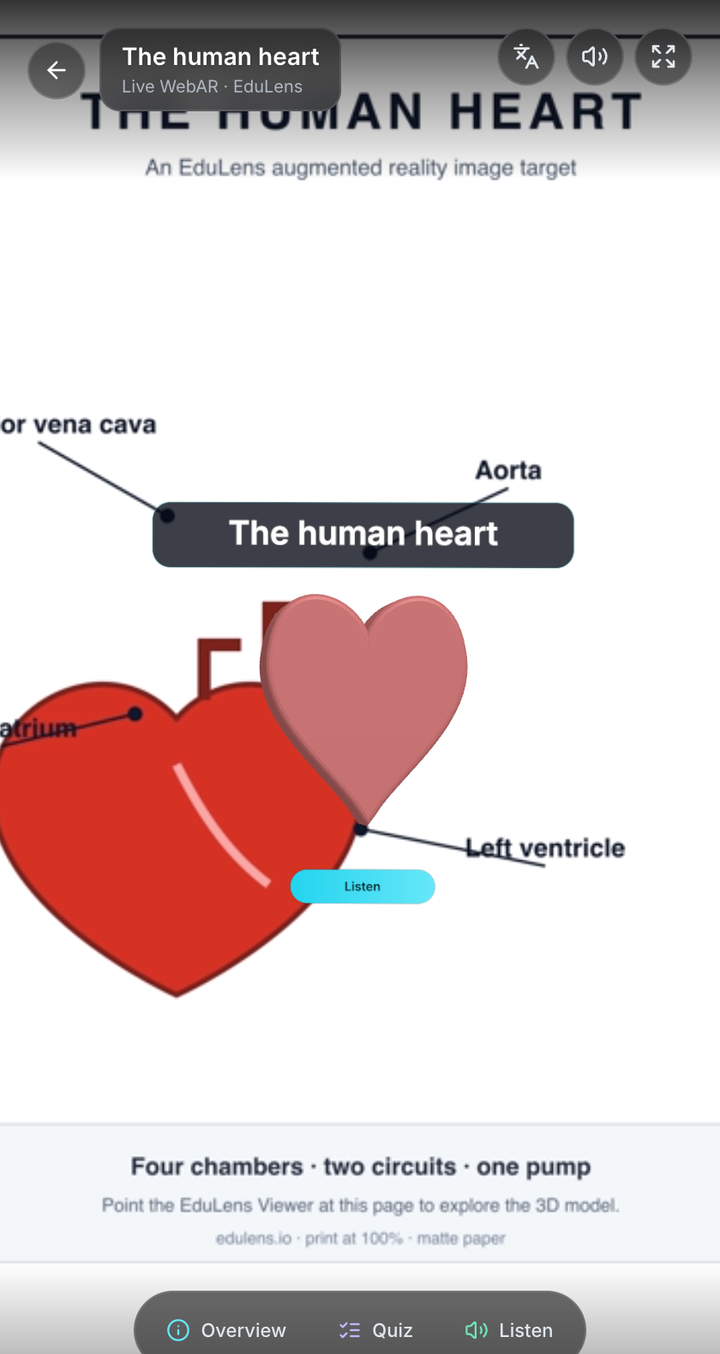
Camera AR in the browser
Instant image tracking on mobile without an app store, anchored in the real world with on-device processing.
Measurable engagement
Views, QR scans, sessions and quiz completion per experience, with CSV export.
Enterprise-grade controls
Tenant isolation, RBAC, signed media, audit logs and encrypted provider keys.
How it works
From image to experience in four steps
Upload an image
A book page, poster, diagram or product photo.
Design the scene
Use the AI assistant or build it yourself in the visual editor.
Preview and publish
Check the 3D experience, then publish with a QR code.
Scan and explore
Open the viewer, point the camera at the target, and interact.
One platform
One experience. Every surface.
Author once, publish everywhere. The same versioned scene runs in the browser and in the native iOS viewer.
WebAR viewer
Image tracking with MindAR, interactive 3D, quizzes and narration in the browser.
iOS AR app
Unity 6 + ARKit with runtime image libraries, offline caching and deep links.
Creator studio
A Three.js editor with AI drafts, assets, interactions and versioned publishing.
Admin & API
Multi-tenant controls, configurable plans, moderation, analytics and a documented REST API.
Arabic-first
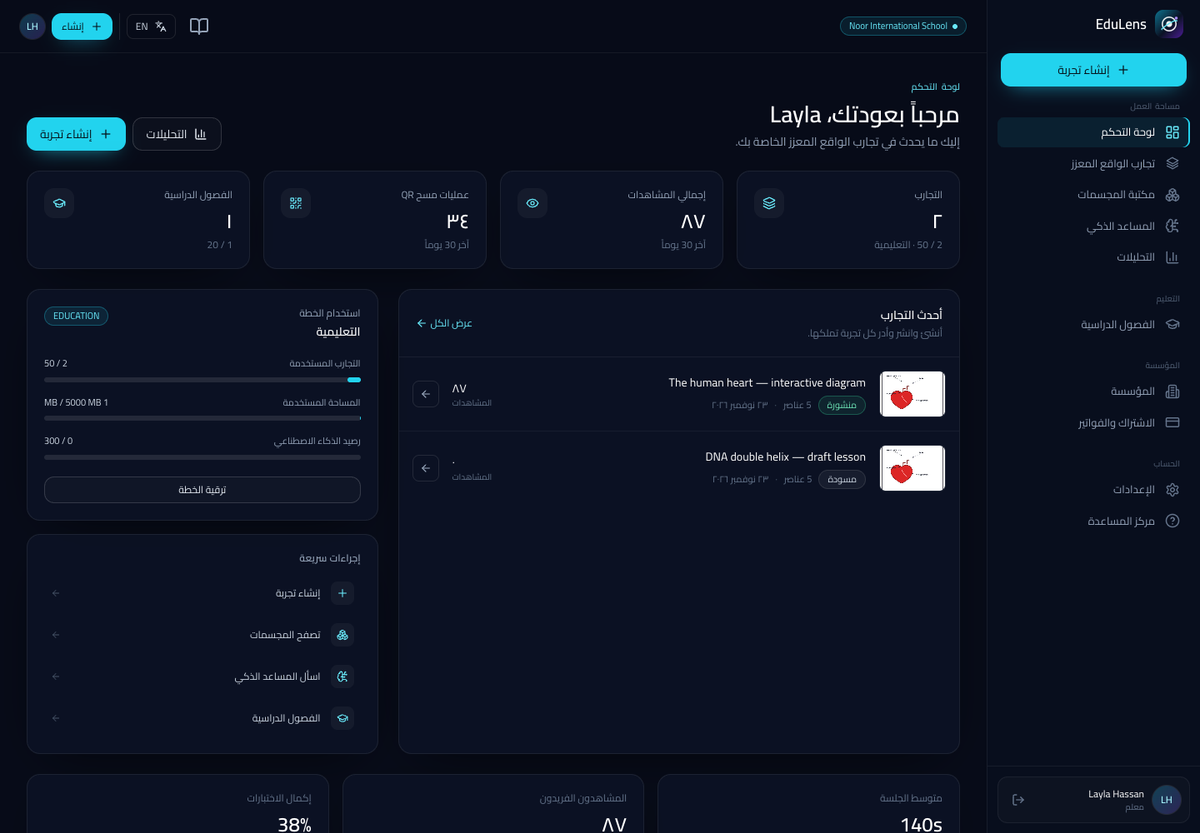
Arabic is not a translation layer. It is the experience.
Full RTL layouts for the editor, tables and navigation, Cairo typography, bilingual content in every field, and correctly shaped Arabic text rendered inside the 3D scene.
- RTL-first editor
- Cairo across the UI
- Arabic narration
- Bilingual quizzes & content
Who it is for
One platform, many audiences
Educators & schools
Free classroom access, assignments and a curriculum-ready asset library.
Creators & agencies
Publish branded AR campaigns and track engagement in real time.
Business & retail
Bring packaging and product displays to life with measurable experiences.
Pricing
Start free, scale when you need to
FAQ
Questions, answered
Do people need to install an app?+
No. The public experience opens in a modern mobile browser with camera access. The optional iOS app adds native ARKit tracking and offline use.
How does the AR know where to place the scene?+
It tracks the printed image as a target, computes the camera pose on device and anchors the scene to that image. No camera frames leave the device.
Can I use my own 3D models?+
Yes. Upload GLB or glTF assets to the library, or use the built-in curriculum models. USDZ can be attached for iOS Quick Look.
Is Arabic fully supported?+
Yes. The interface, editor, viewer and content fields are bilingual, with RTL layouts and canvas-rendered Arabic text.